Watts the Cost? Tracking My Mac's Power Draw During LLM Inference
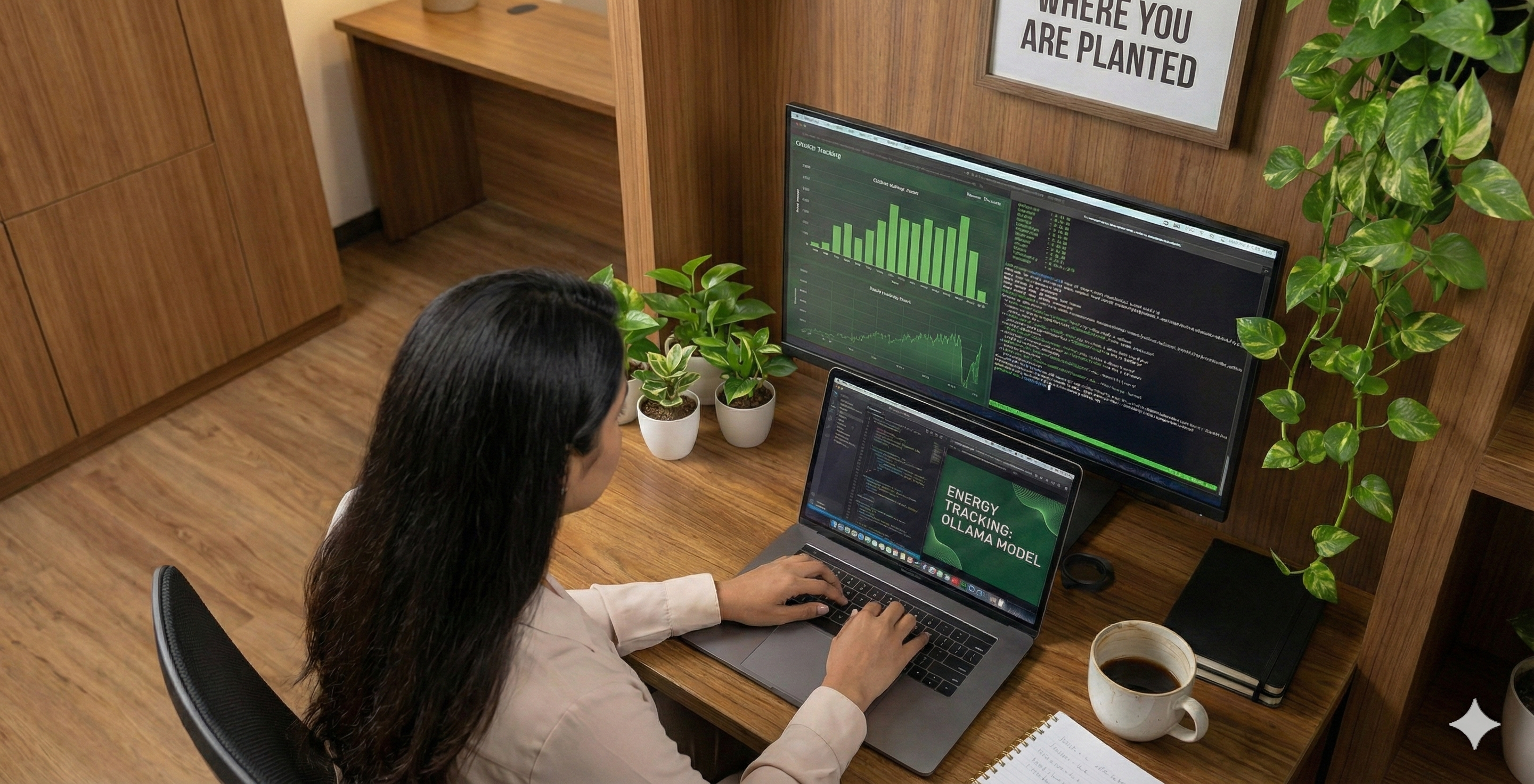
The Prologue: Better Late Than Never
Let's be real for a second. I finished the technical work for this blog back in November. I had the code running, the graphs plotting, and a plan to hit "publish" on January 5th.
And today is January 23rd. Life happened. Priorities shifted. For a moment, I thought,
Is it too late to share this? Does it still matter?
Then I remembered the phrase that has stuck with me as I found my footing in this new place:
" 🪴Bloom where you are planted. "
It doesn't matter if the timeline wasn't perfect; what matters is the growth. So, here I am, dusting off my terminal logs to share a story about how I stopped looking at AI as just code, and started seeing the energy behind it.
The Zero State: Code vs. Energy
Sometimes, you are planted in soil you don't understand yet. Back in November, my professor planted me in the world of Sustainable AI with a single, seemingly simple task:
" Install Ollama on your Mac. Run a model. And tell me exactly how much energy it consumes. "
I stared at my screen. I knew how to code. I knew how to use AI. I knew how to build the models. But the hardware? That was a black box.
Until this task, I wrote code as if it cost the planet nothing.
You type a query, the code runs, and the answer appears.
Clean, silent, and infinite. But measuring the invisible electricity actually flowing through my Apple silicon? That was a layer of the stack I had never debugged before.
We talk a lot about Green AI and Sustainability, but for many of us, it's just a buzzword until you actually see the numbers. My goal wasn't just to run an LLM. I wasn't just running code; I was trying to audit it.
I wanted to see the cost of a "Hello World" in Joules and Watts. I wanted to know if my Mac was just thinking, or if it was sweating.
The Struggle (and the Silence)
I started where everyone starts: Google.
I skimmed documentation, tried simple commands, and tested standard monitoring tools. Nothing gave me the granularity I needed. I was writing scripts that crashed and reading logs that made no sense.
I was running Llama 3.2 on my MacBook Air. The fan wasn't even spinning (Apple Silicon is dangerously efficient), so I assumed the cost was negligible. But I needed numbers, not assumptions.
I was planted, but I definitely wasn't blooming. I was just... debugging.
The Eureka Moment ! sudo powermetrics
Powermetrics: This command-line tool doesn't just look at software; it peeks directly under the hood of the hardware. It pulls raw data on power usage, temperature, and frequency straight from the chip.
I ran it. The terminal flooded with data. And then, I saw it.
I filtered the raw logs to cut through the noise and isolate the only metric that truly mattered: Total Power Draw (CPU + GPU).
The tracker gave me the idle power draw: ~15mW.

Then, I asked Llama a question: "What is software sustainability in 3 lines?"
BOOM. The numbers shot up instantly… ~7000mW.
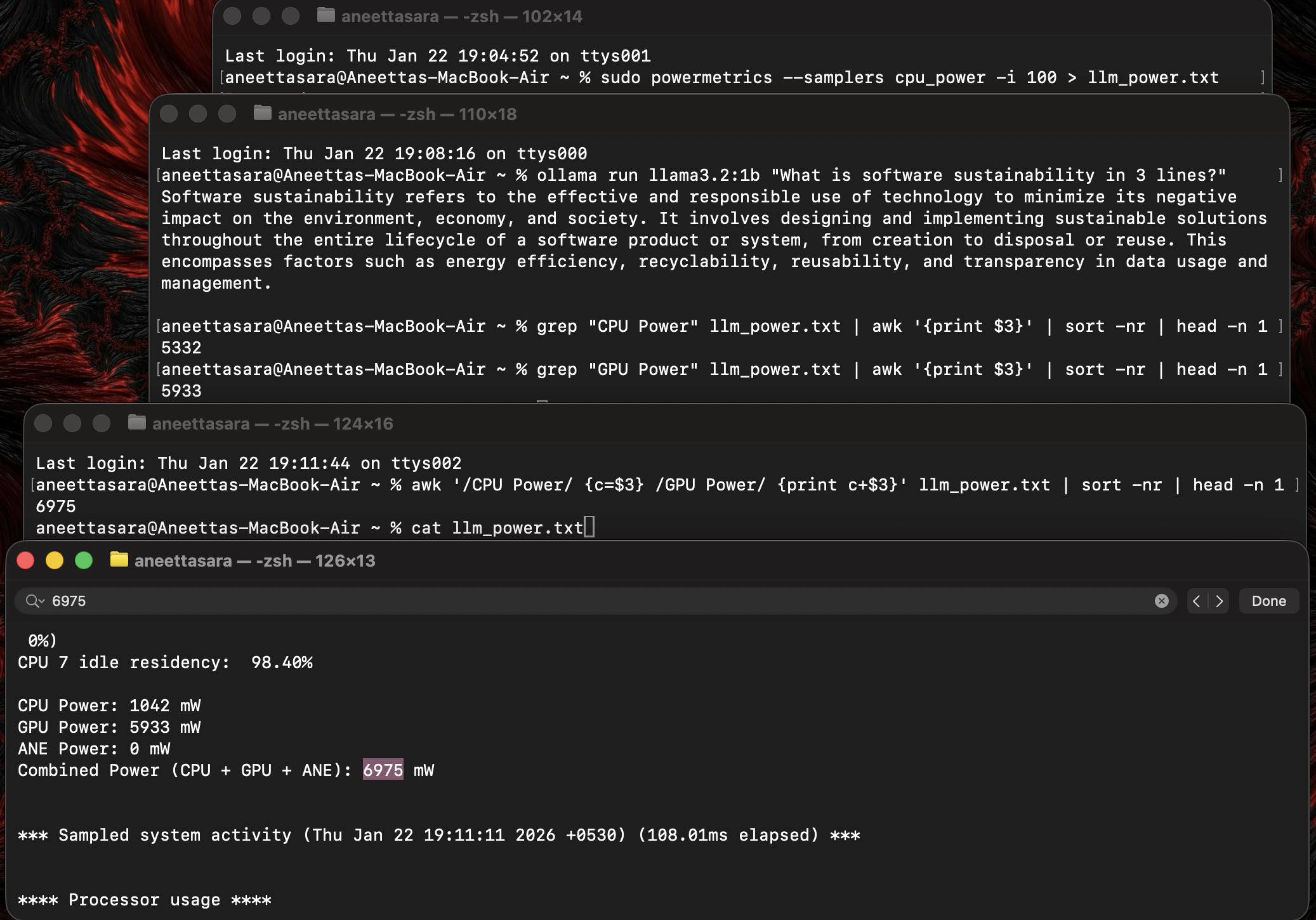
It wasn't about the code anymore. It was real. It was power. It was energy.
I could see the cost of my curiosity. That was my Hello World moment for energy tracking.
What I Learned (The Interesting Stuff )
Through the struggle, I gathered some facts that genuinely surprised me:
The "Spike" is Instant: AI doesn't "warm up." It goes from 0 to 100 in milliseconds. The Energy demand is immediate and intense.
Idle vs. Active. Background tasks barely register on the power meter. LLM inference? That's when you see what your Mac can really pull.
Generation is the real cost. Processing your prompt is fast and cheap, it's the token-by-token response generation that hammers your CPU and drains your battery.
The Reality Check
Here is a slightly terrifying fact I learned from my logs:
Every single query has a carbon footprint.
We often think of "Green AI" as a massive data center problem. But measuring it locally made me realize that even for one user, the cost is noticeable. Now, imagine millions of users doing this every second.
It turns out, "Sustainable AI" isn't just about where the electricity comes from; It's about how efficiently we use it.
Don't Reinvent the Wheel (Here's the Code)
That command was just the 'Hello World', a quick manual check. But I realized I couldn't just sit there typing commands forever if I wanted valid results. I needed a proper, automated setup. I didn't want to just guess the energy; I wanted to scientifically measure it. So, I built a system.⚙️
In the GitHub repo, you won't just find a basic script. You'll find a full setup (ollama-energy-tracker) that includes:
- The Architecture: My Master-Worker setup separated the "tracker" from the "LLM" so measuring the energy doesn't accidentally slow down the model.
- The Power Engine: My script talks directly to your Mac's hardware to get the real numbers, no guessing games or rough estimates.
- The Smart Fixes: It fills in the gaps. If a query is too fast for the hardware sensors to catch, the tool kicks in a backup estimate to ensure your data remains accurate.
- The Visuals: A simple dashboard where you can actually see your energy usage and trends in real-time.
Curious about the actual numbers? I've packed the README with my full research findings. Go take a look at my GitHub repo🔗. It's not perfect. It's just a snapshot of me figuring things out. It includes the scripts to run the model, track the energy, and visualize the spikes.
It's open-source. It's documented. It's ready for you to fork.
Come break things, run the dashboard, and let me know if your Mac sweats as much as mine did. You can connect with me on LinkedIn🔗.
You don't need a supercomputer to start tracking carbon. If you're feeling stuck in a new stack or a new field, just remember:
it's okay to bloom a little late. Just make sure you keep growing.
Here at Project SustAInd, we aren't just tracking energy anymore; we are going to try to reduce it. If you are a student, a dev, or just curious, come check us out.
Onwards and Upwards 🌱